
How to compress a video for email or WhatsApp
Most email services cap attachments at about 20 to 25 MB (Gmail allows 25 MB), and chat apps squeeze big videos hard when you send them. Compressing the video yourself to a set size keeps it sharper and makes sure it goes through. Fileshaper lets you pick the size, such as 16 or 25 MB, and does the rest on your computer.
Updated 13 November 2026 · Hollowbit Studio
Do it right here
Step by step
- Download FileshaperInstall the free app for Windows or Mac from the download page.
- Drop your video on the windowMP4, MOV, MKV, WEBM and iPhone videos all work.
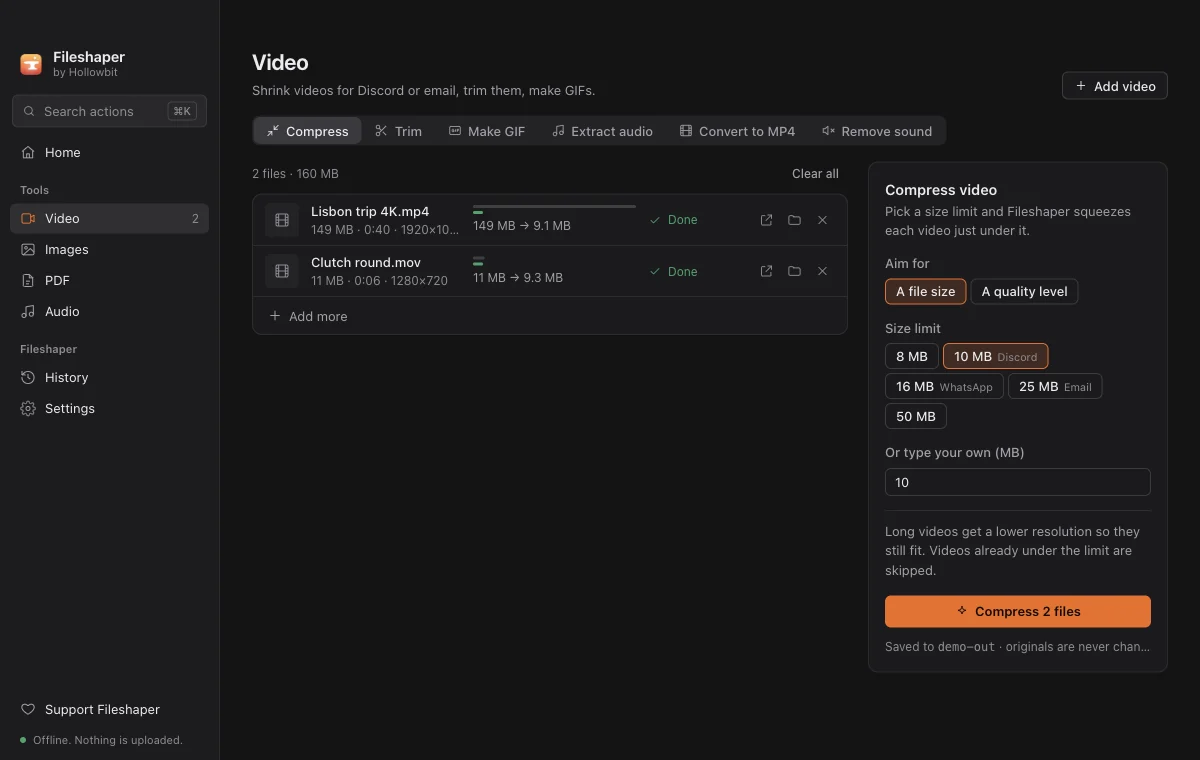
- Pick a size under CompressChoose 25 MB for most email, or 16 MB to keep it small for chats.
- Click Compress and attach the new fileThe smaller copy is saved next to the original, with the size in its name.
How small can a video get?
A file's size is its bitrate multiplied by its length, so short clips stay sharp and long ones have to drop resolution. As a rough guide, 25 MB holds about 2 minutes at 1080p or 5 minutes at 720p. Trimming the video first helps more than anything else.
When to share a link instead
For long videos, a shared link from iCloud Drive, Google Drive or OneDrive is better than squeezing them into an attachment. Gmail switches large attachments to a Drive link for you.
Other ways to do it
HandBrake is free and powerful but has no "fit under 25 MB" option. Online compressors work, but you upload your video to a stranger's server, and many add a watermark or limit the size.
Questions
What is the email attachment limit?
Gmail allows 25 MB per email. Most other services allow about 20 to 25 MB.
Will the video look worse?
A little, because it has to fit in fewer bytes. Short clips usually look almost the same.
Is it private?
Yes. Fileshaper works offline and never uploads your video.
More guides
- How to compress a video for DiscordShrink any video to fit Discord's 10 MB upload limit without Nitro and without uploading it to a website. Free, offline, works on Windows and Mac.
- How to open HEIC photos on Windows (and convert them to JPG)iPhone photos are saved as HEIC, which many Windows apps can't open. Convert HEIC to JPG in bulk, free and offline, without uploading your photos.
- How to sign a PDF without uploading itAdd a drawn or typed signature and the date to any PDF without sending your contract to a website. Free and offline on Windows and Mac.