
Startshaper
Why is my PC slow?
Startshaper finds the apps that start by themselves and slow your computer down, tells you in plain words what each one is, and switches off the ones you don’t need. On Windows it even says how many seconds each one adds to startup.
Animated demo: Startshaper shows a PC that takes 94 seconds to start, then switches off five apps that start by themselves.
Your startup, in seconds.
Windows times every startup and notes which apps slowed it down. Startshaper reads that log and shows it as one bar: “Your PC takes 94 s to start. These 6 apps add 41 s.” Switch them off and the bar shrinks.
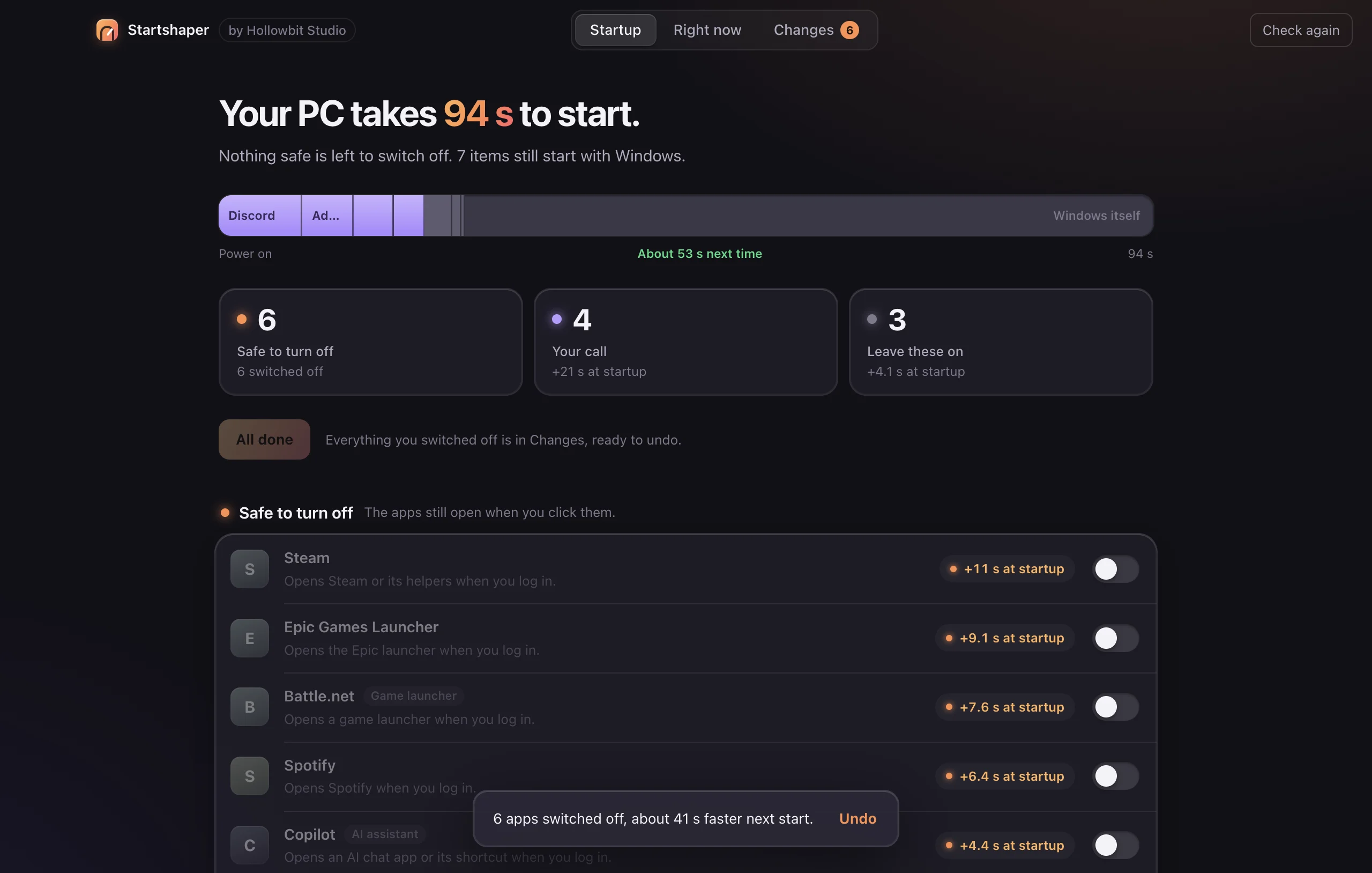
Plain words, not a tweak list.
Every item is sorted into Safe to turn off, Your call, or Leave these on, with one line on what it is and what happens without it. Antivirus, drivers and keyboard tools stay on.
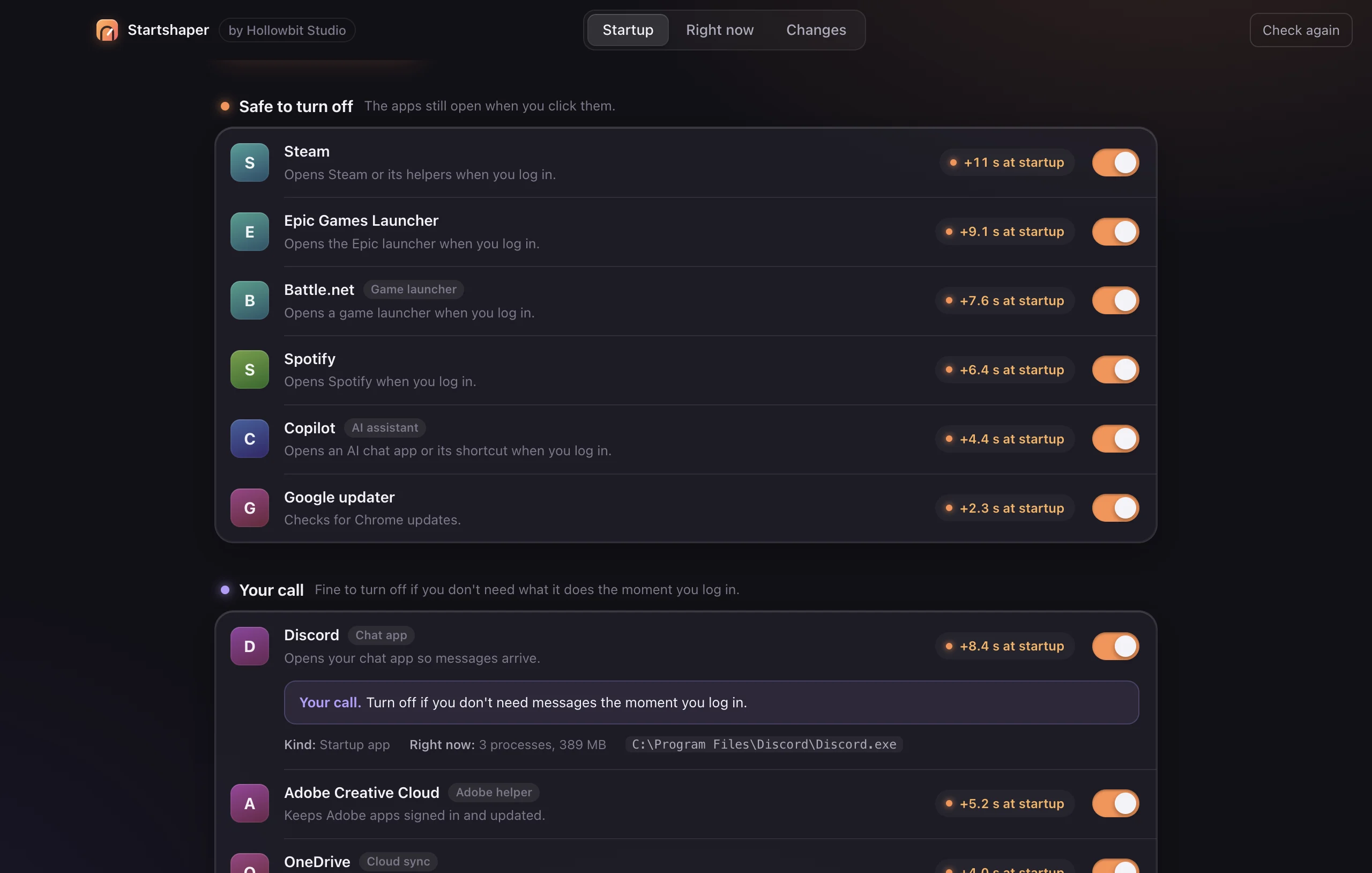
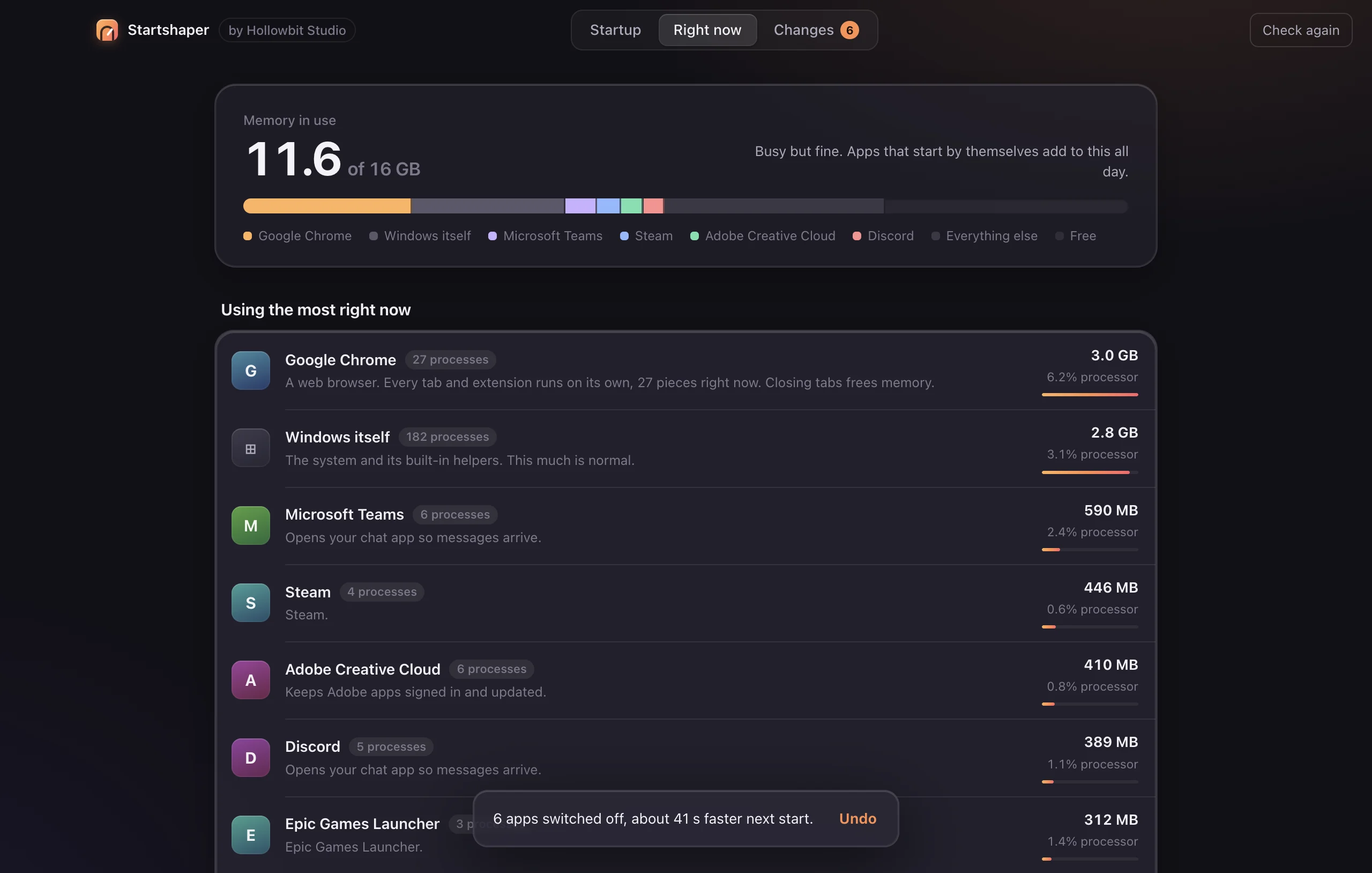
See what’s using your computer now.
Right now shows which apps are holding the most memory and processor, grouped by app instead of hundreds of processes, and explains what they are.
The free CCleaner Pro alternative, without the scare tactics.
Free for Mac and Windows. No account, no watermark, nothing uploaded.
 Also from Hollowbit StudioLightshaperEdit your photos, camera RAW included, with sliders, masks and looks. Batch-edit a whole folder and export. Your originals are never changed.