
Captionshaper
Word-timed subtitles, written by a speech model on your own computer.
0.7%Word error rate on the test clips
≤ 0.11 sHow far word start times land from the real ones
3.4 sTo transcribe a 38-second clip on Apple Silicon (37 s before GPU support was switched on)
The problem
Short vertical videos need captions, and the usual way to get them is a cloud editor or a subscription. The video has to be uploaded, and free tiers add watermarks or limits.
Speech models that run locally are free and accurate, but they are command-line tools that produce plain text, not styled, word-timed captions.
What it does
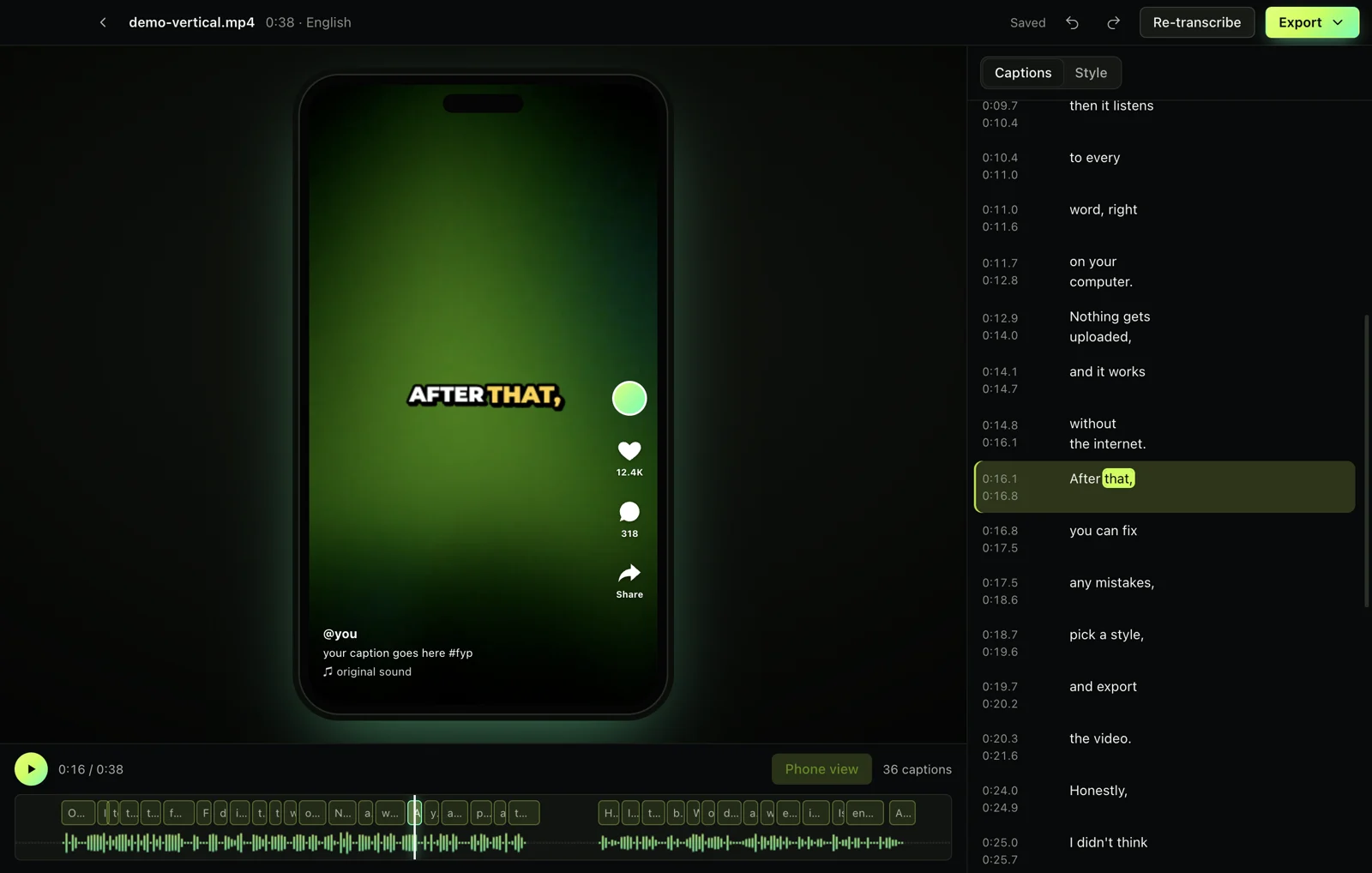
Drop in a video and Captionshaper writes every word with its timing, offline. Fix any word, pick one of nine caption styles, and export SRT, VTT, ASS or an MP4 with the captions burned in.
Key decisions
- Mute the music before transcribing. Speech models tend to invent words over music and silence. Captionshaper finds speech first with a separate voice detector, silences everything else, and drops any word outside speech.
- Its own caption layout engine. Every word is measured and placed by the app, so the preview and the exported video match almost pixel for pixel, including word-by-word pop and highlight styles.
- Built for vertical video. Captions stay inside a safe zone, and a phone view draws TikTok-style buttons over the video so nothing ends up hidden behind them.
- Show words while it works. Audio is split at natural pauses into chunks of about 28 seconds, so words appear on screen as they are transcribed instead of all at the end.
- Download the model once, safely. Speech models download with resume, retry and a SHA-256 check. After that, the app never needs the internet.
How it was tested
- 23 engine checks cover caption timing, line breaks and export formats.
- 13 end-to-end checks drive the real app, plus download and packaged-app tests.
- An accuracy suite transcribes known speech clips and measures word errors, timing and words leaking into silence. Latest result: 0.7% word error rate, start times within 0.11 s, no leaks.
What’s next
- An Intel Mac build.
- GPU speed-up on Windows.
- Dragging captions on the timeline to retime them.