
Diskshaper
A storage cleaner that tells you what each thing is, and only ever moves it to the Trash.
3Groups people recognise: everyone, gaming, video editing
0Files deleted permanently: everything goes to the Trash or Recycle Bin
14 GBFound on the first real Mac it scanned, including 2.9 GB of empty CrossOver bottles
The problem
Drives fill up with things nobody chose to keep: shader caches, leftovers from uninstalled games, editing caches and old renders.
The polished cleaners are paid (CleanMyMac costs about $40 a year), and the free ones show a long list of folder names without saying what is safe to remove.
What it does
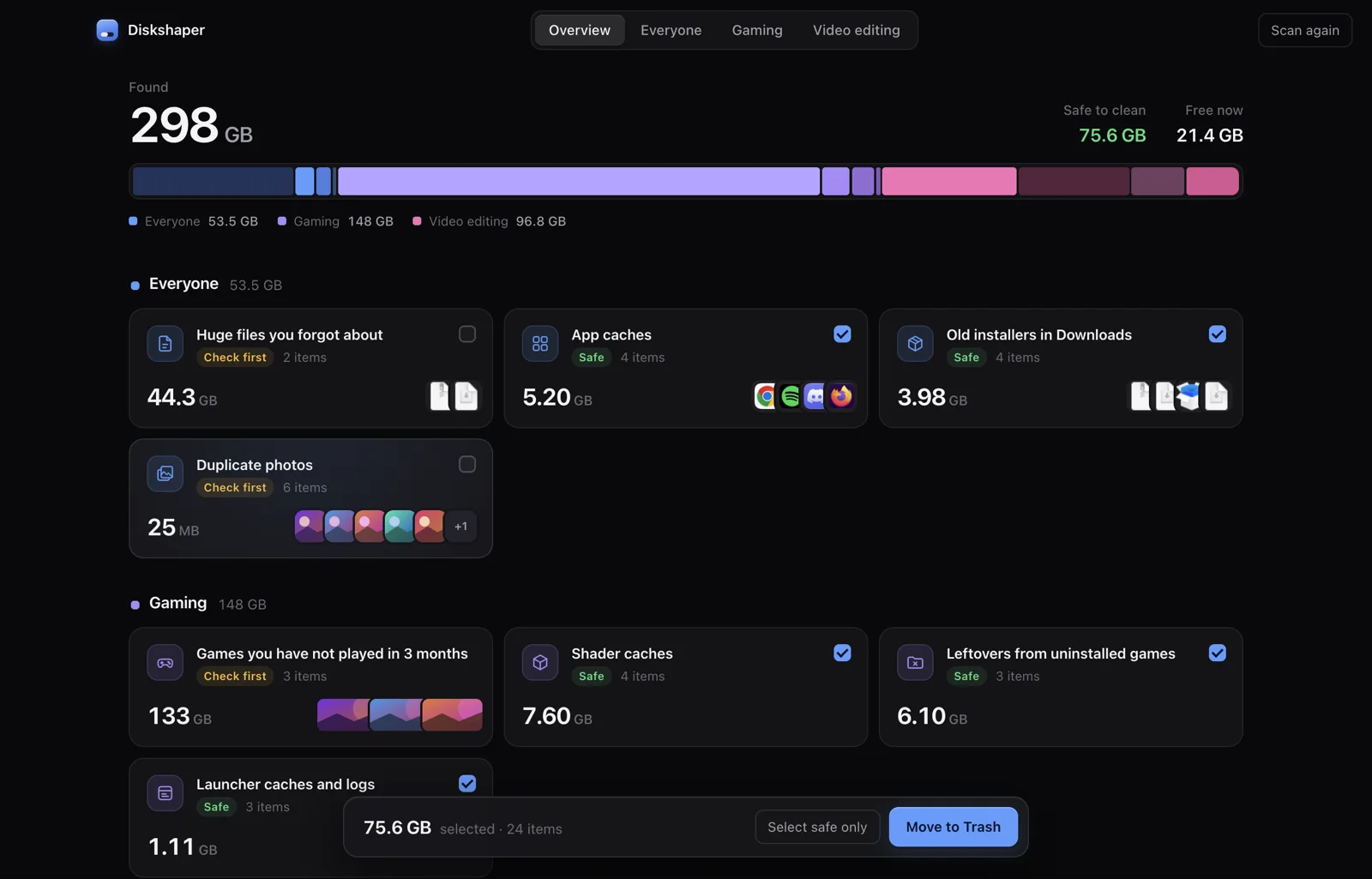
Diskshaper scans the drive in seconds and sorts what it finds into plain groups, each labelled “Safe” or “Check first”. One click moves the safe items to the Trash, so everything can be put back. The website also has a duplicate photo finder that runs in the browser.
Key decisions
- Plain labels over clever ones. “Safe” means the app or game rebuilds it, or it can be downloaded again. “Check first” means only the owner knows, so those items are never ticked by default.
- The Trash, never delete. Diskshaper only moves files to the Trash or Recycle Bin. Nothing is gone until the user empties it.
- Know which game a folder belongs to. Steam, Epic, Heroic and CrossOver libraries are read directly, so leftovers from uninstalled games can be told apart from games that are still installed.
- A safety rule in the main process. The app will only move paths from its most recent scan. Any other path is refused, even if the interface asks for it.
- Honest sizes. Hard-linked files are counted once, and file ages use the modified date, because last-opened dates change whenever a file is read.
How it was tested
- The test suite checks the interface in demo mode, the packaged app, and the safety rule that refuses paths outside the last scan.
- The browser photo finder is tested on exact duplicates (SHA-256) and look-alike photos (a 64-bit perceptual hash), including moving copies into a “Duplicates” folder.
What’s next
- Testing on more Windows PCs and on Intel Macs.
- More game launchers and editing apps.