Writeshaper
A private writing assistant that works in any app.
1.9 GBDefault model download, one time
10 / 12Accuracy test score for the default model (12 / 12 for the larger one)
0 bytesOf your writing sent anywhere
The problem
Grammar and tone assistants send every word you type to their servers, including work emails and private messages. The full versions cost about £10 a month.
Local language models can do the same job, but they are hard to set up and don’t plug into the apps people actually write in.
What it does
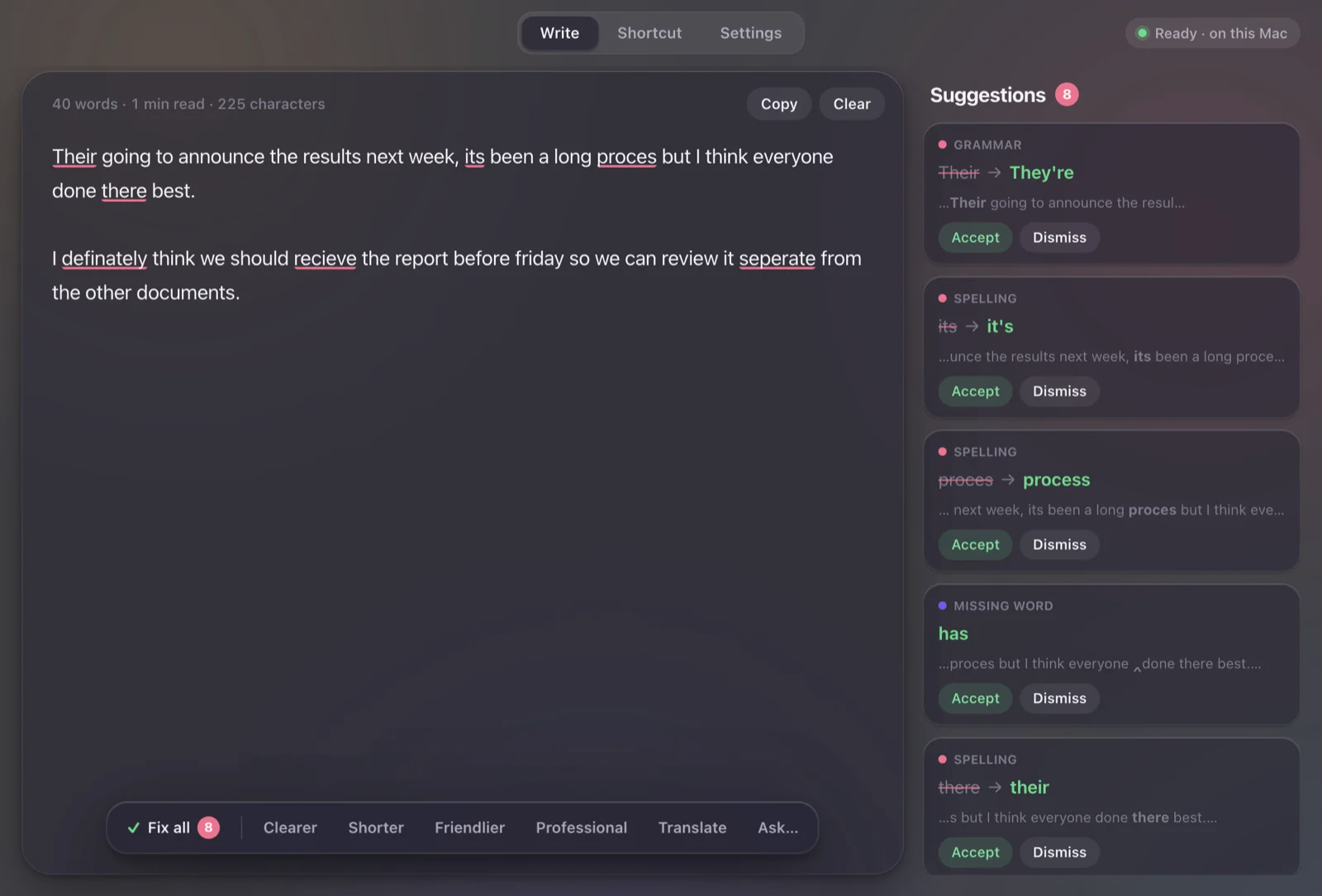
Select text in any app and press a shortcut. A floating panel fixes the grammar or rewrites it clearer, shorter, friendlier or more professional, or translates it, and Replace pastes the result back. The Write tab underlines mistakes as you type and explains each fix.
Key decisions
- Quality decided the model size. The goal was a download under 500 MB, but every model that small missed most mistakes in testing. The default is a 1.9 GB model that scored 10 of 12, with a 2.7 GB option that scored 12 of 12.
- Prove it before the download. A 2 GB download from a new studio is a lot to ask. The website lets people try real answers from the app first, recorded on a laptop with no internet.
- Work where people already write. A global shortcut and a floating panel mean it works in mail, chat and documents without plugins.
- Grammar and tone, not rewriting for you. It is built for clearer emails and messages, not as a paraphraser. The prompts forbid adding facts, subject lines, sign-offs or placeholder names, and a clean-up step removes any that slip through.
- Fast on ordinary computers. llama.cpp runs on the GPU with Metal on Macs and Vulkan on Windows, with a CPU fallback.
How it was tested
- Engine and end-to-end tests run the real model on real text.
- An accuracy suite of 12 test passages scores each model, which is where the 10 / 12 and 12 / 12 come from.
- Download tests check pausing, resuming and the SHA-256 check, and a packaged-app test checks the installers.
What’s next
- Testing the global shortcut on more Macs and on Windows.
- Translating the website into the other five languages.