Lightshaper
A free photo editor in the spirit of Lightroom: sliders, masks, looks and RAW files, without the subscription.
6Camera brands tested with real RAW files
0Bytes ever written to your original photos
14Hand-made looks, plus your Lightroom presets
The problem
Editing photos properly, especially RAW files, usually means a monthly Lightroom subscription.
The free alternatives, darktable and RawTherapee, are powerful but built for experts, with hundreds of modules and a workflow many beginners give up on.
What it does
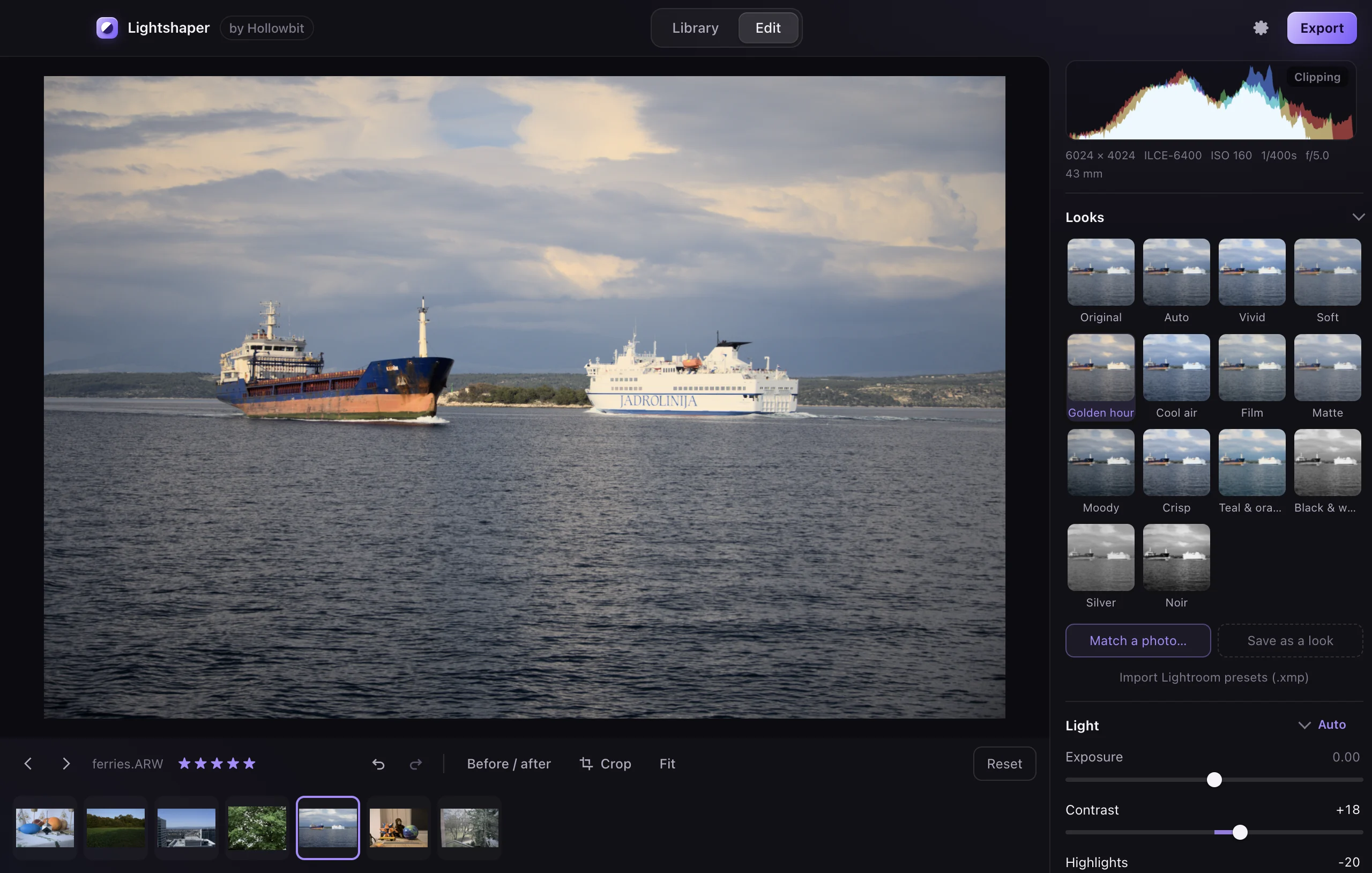
Lightshaper opens a folder of photos and edits them with simple sliders: light, colour, tone curve, colour mixer, grading, effects and noise reduction. Gradient and radial masks change just part of a photo. Looks, your own presets, imported Lightroom presets and Match a photo set a style in one click, and copy, paste and batch export finish a whole shoot.
Key decisions
- The graphics card does the work. Every slider runs one WebGL2 shader over 16-bit linear light, so dragging stays live even on 45-megapixel files. Export renders the full-size photo in tiles.
- Look like the camera. RAW files come out of LibRaw flat and grey. Lightshaper adds a film-style base curve and matches overall brightness to the preview JPEG the camera stored inside the file, so exposure 0 looks like what the camera showed.
- Measure, don’t guess. Match a photo reads a colour cast only from near-grey areas, because a blue bag in the reference is not a blue cast. For photos already edited in Lightshaper it simply lends their exact settings.
- Edits are only numbers. Edits are saved as settings in the app’s own folder and never written into photos. Exports are new files that keep the camera details but never the location.
- No AI. Every tool is a hand control. Auto and Match a photo are plain arithmetic on the photo’s brightness and colour.
How it was tested
- An engine test renders RAW files from Apple, Canon, Fujifilm, Nikon, Panasonic and Sony, compared by eye with macOS’s own rendering.
- An interface test clicks through the library, sliders, masks, tone curve, white balance picker, looks, Match a photo, preset import, crop, undo and export, then reads the exported file’s camera info back with Apple’s ImageIO.
- A packaged-app test opens a RAW file from the built app, and animations are checked under a 4x CPU slowdown.
What’s next
- Testing on more Windows PCs.
- Brush masks and spot healing.