Startshaper
Why is my PC slow? Every app that starts by itself, explained in plain words, with one switch each.
The problem
Most slow computers are slow because of apps that start by themselves: game launchers, updaters, chat and music apps that open at login and stay running.
The paid fixers sell this as a subscription (CCleaner Pro is about $45 a year), and the free ones are expert tweak lists that can break things if you don’t know what each switch does.
What it does
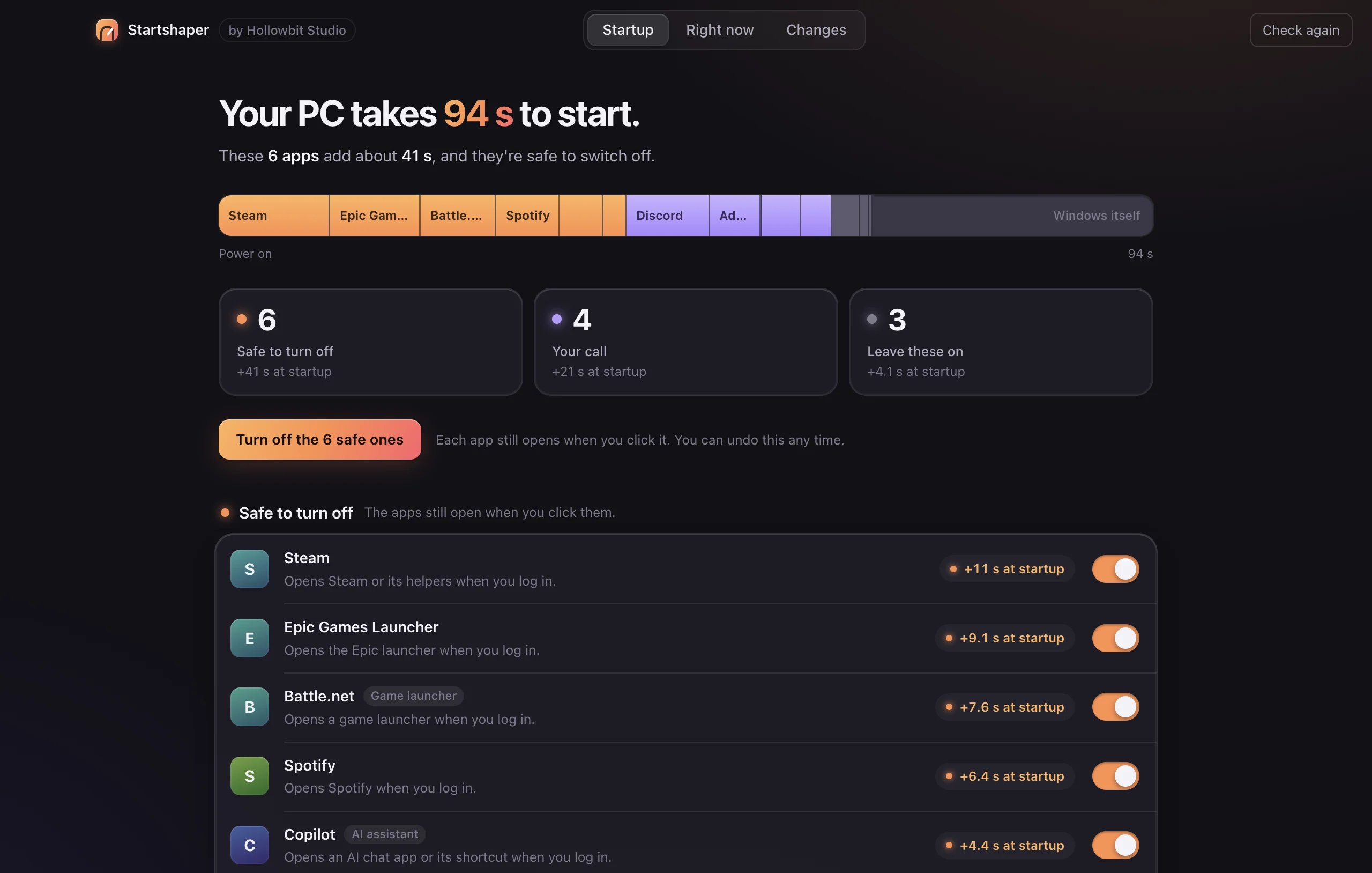
Startshaper lists everything that starts by itself, explains each item in one line, and sorts it into Safe to turn off, Your call, or Leave these on. On Windows it reads the startup timing log, so it can say “Your PC takes 94 s to start. These 6 apps add 41 s.” Right now shows what is using memory, and Changes lets you turn everything back on.
Key decisions
- Use the system’s own switch. On Windows, turning an item off writes the same StartupApproved setting as Task Manager’s Startup tab; on a Mac it uses launchctl disable, like Login Items. Nothing is deleted, so turning it back on restores it exactly.
- One row per app, not per file. Google’s updater alone installs three background items on a Mac. They are grouped by app, developer and bundle ID, so a person sees one “Google updater” row.
- Seconds, not scores. Windows already records which apps slowed each startup. Startshaper shows those seconds instead of an invented “impact” score.
- No admin by default. Everything a normal user can change is a switch. Items that need an admin password open Task Manager or Login Items instead of asking for elevation.
How it was tested
- The Windows reader is tested with made-up PowerShell output: startup entries, disabled flags, boot events and process grouping.
- Interface tests click through the demo, and a separate run checks the real Mac read-only. The on/off switch was tested as a full round trip on a real launch agent.
- Animations are measured under a 4x CPU slowdown.
What’s next
- Testing on more Windows PCs.
- An admin mode for system-wide items.