 Diskshaper
How to clear the DaVinci Resolve cache
DaVinci Resolve stores its render cache, optimized media and proxies in a CacheClip folder inside the working folder set in its preferences. These are all made from your original footage and can be made again. In Resolve, use Playback, Delete Render Cache, All. To catch the rest, and caches from old projects, scan with Diskshaper.
Updated 11 November 2026 · Hollowbit Studio
Step by step
- Quit DaVinci ResolveFiles in use cannot be moved.
- Download Diskshaper and press ScanIt finds CacheClip and ProxyMedia folders in your Movies or Videos folder and next to your projects.
- Open Video editingResolve’s caches are listed under Video editing caches and Render previews in project folders.
- Move them to the Trash or Recycle BinResolve rebuilds what it needs when you play the timeline.
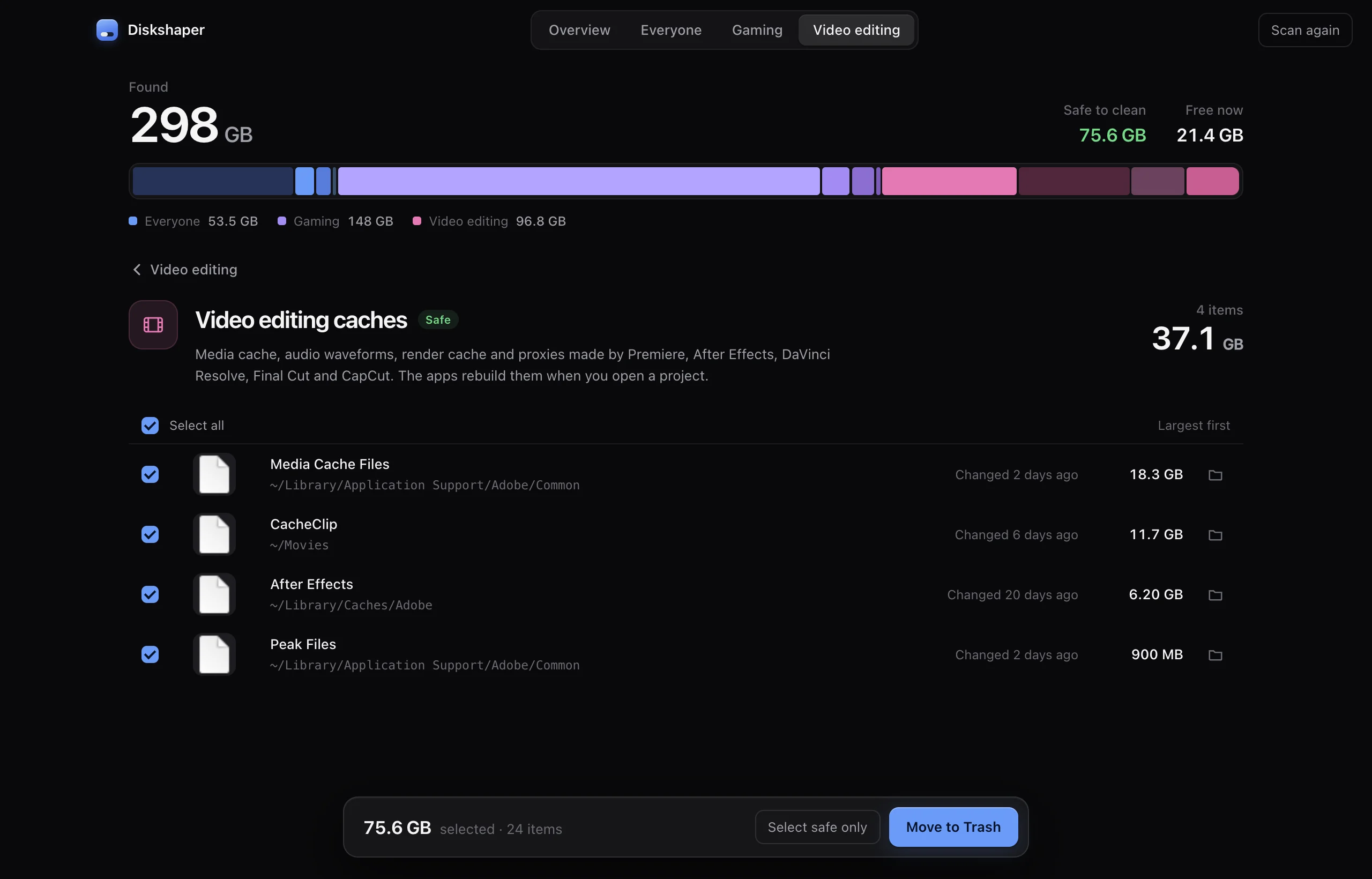
Where Resolve keeps its cache
The location is set per project under Project Settings, Master Settings, Working Folders, and defaults to the first drive in Preferences, System, Media Storage. Inside it, Resolve makes a CacheClip folder.
The manual way
Open the project and choose Playback, Delete Render Cache, then All or Unused. Do this for each project. Finished projects you never open again keep their cache until you delete the folder yourself.
Render cache vs optimized media vs proxies
Render cache holds pre-rendered effects and grades. Optimized media and proxies are lighter copies of your footage for smooth playback. All three are made from your originals, so they are safe to remove for finished projects.
Questions
Is deleting the CacheClip folder safe?
Yes, for any project. Resolve treats it as disposable and recreates it.
Will it delete my footage?
No. Your original media is not in the cache folder. Diskshaper never marks original footage as Safe.
How much space can it free?
On an editing machine, often 20 to 100 GB.
More guides
- How to clear your shader cacheShader caches from Steam, NVIDIA, AMD and DirectX can take tens of gigabytes. Here is where they live, whether it is safe to clear them, and how.
- How to remove Steam leftovers after uninstalling a gameUninstalled a Steam game but the space did not come back? Steam often leaves the game folder behind. Here is how to find leftovers safely.
- How to clear the Premiere Pro media cachePremiere Pro’s media cache can grow to tens of gigabytes. Where the cache files are on Mac and Windows, whether it is safe to delete them, and how.
- How to find duplicate photos for freeFind exact duplicate photos and near-copies on Mac or Windows for free. Use the browser tool with no install, or the Diskshaper app for your whole drive.