 Diskshaper
How to remove Steam leftovers after uninstalling a game
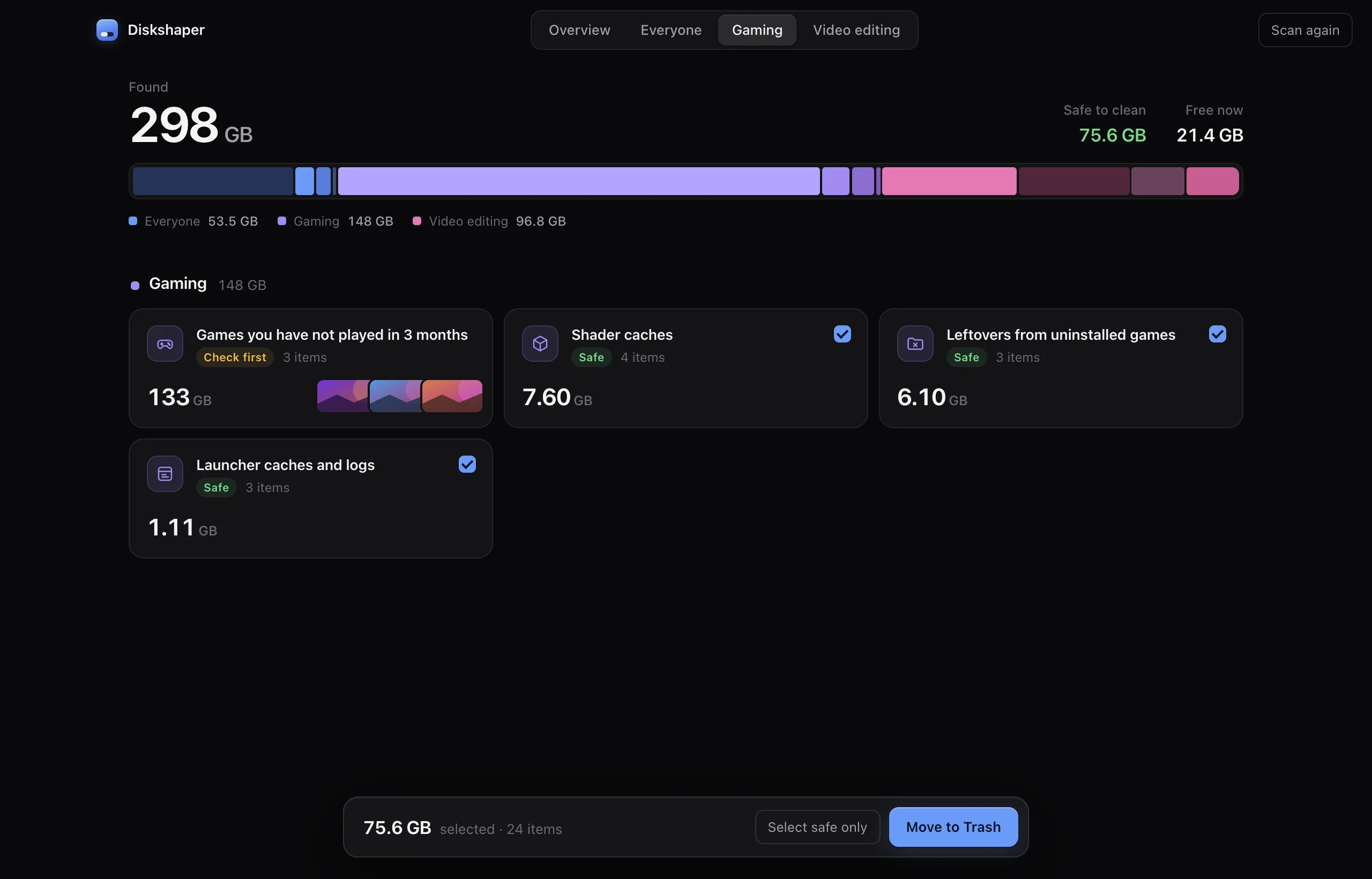
When you uninstall a game, Steam deletes the files it installed, but often leaves the folder with anything the game created itself: mods, configs, logs and downloaded content. Diskshaper compares the folders in your Steam library with the games Steam still lists, and shows the ones nothing uses any more.
Updated 11 November 2026 · Hollowbit Studio
Step by step
- Download Diskshaper and press ScanIt reads every Steam library on every drive, including Steam inside CrossOver on a Mac.
- Open Gaming, then Leftovers from uninstalled gamesEach folder shows its size and when it last changed.
- Check, then move to the Recycle BinLeftovers are moved, not deleted, so you can put a folder back if you need something from it.
How Diskshaper knows a folder is left over
Steam keeps a small file for every installed game (appmanifest_NUMBER.acf) that names its folder in steamapps\common. A folder that no manifest points to belongs to no installed game.
The manual way
Open steamapps\common in your Steam library folder and compare it with your installed games in Steam. Any folder for a game you uninstalled can go. Repeat for each library folder listed in Steam, Settings, Storage.
What about saves?
Most games save to Documents\My Games, Saved Games, %APPDATA% or Steam Cloud, not to the game folder. If a game kept saves in its own folder, they are inside the leftover, which is another reason Diskshaper moves it to the Recycle Bin instead of deleting it.
Questions
Why does Steam leave files behind?
Steam removes the files it downloaded. Files the game made later, like mods, configs and logs, are not on Steam’s list, so they stay.
Can I delete the whole steamapps folder?
No. It holds every installed game. Only delete folders for games that are no longer installed.
Does this work for Epic Games too?
Yes. Diskshaper reads the Epic Games Launcher’s manifests the same way.
More guides
- How to clear your shader cacheShader caches from Steam, NVIDIA, AMD and DirectX can take tens of gigabytes. Here is where they live, whether it is safe to clear them, and how.
- How to clear the Premiere Pro media cachePremiere Pro’s media cache can grow to tens of gigabytes. Where the cache files are on Mac and Windows, whether it is safe to delete them, and how.
- How to clear the DaVinci Resolve cacheDaVinci Resolve’s render cache, optimized media and proxies can fill a drive. Where they are, what is safe to delete, and how.
- How to find duplicate photos for freeFind exact duplicate photos and near-copies on Mac or Windows for free. Use the browser tool with no install, or the Diskshaper app for your whole drive.