 Diskshaper
How to find duplicate photos for free
Duplicate photos pile up from phone imports, downloads and copies made “just in case”. The quickest free way: open the Diskshaper duplicate photo finder in your browser, pick a folder, and it shows every exact copy and look-alike side by side. Your photos never leave your computer. To check your whole drive at once, use the Diskshaper app.
Updated 11 November 2026 · Hollowbit Studio
Step by step
- Open the duplicate photo finderIt runs in your browser. Nothing is uploaded.
- Choose a folderFor example Pictures, Desktop or an exported phone backup.
- Review the groupsEach group shows the photo you keep and the copies, with sizes and file names.
- Move the copiesIn Chrome and Edge, move the copies into a Duplicates folder you can check and delete later. In other browsers, download the list.
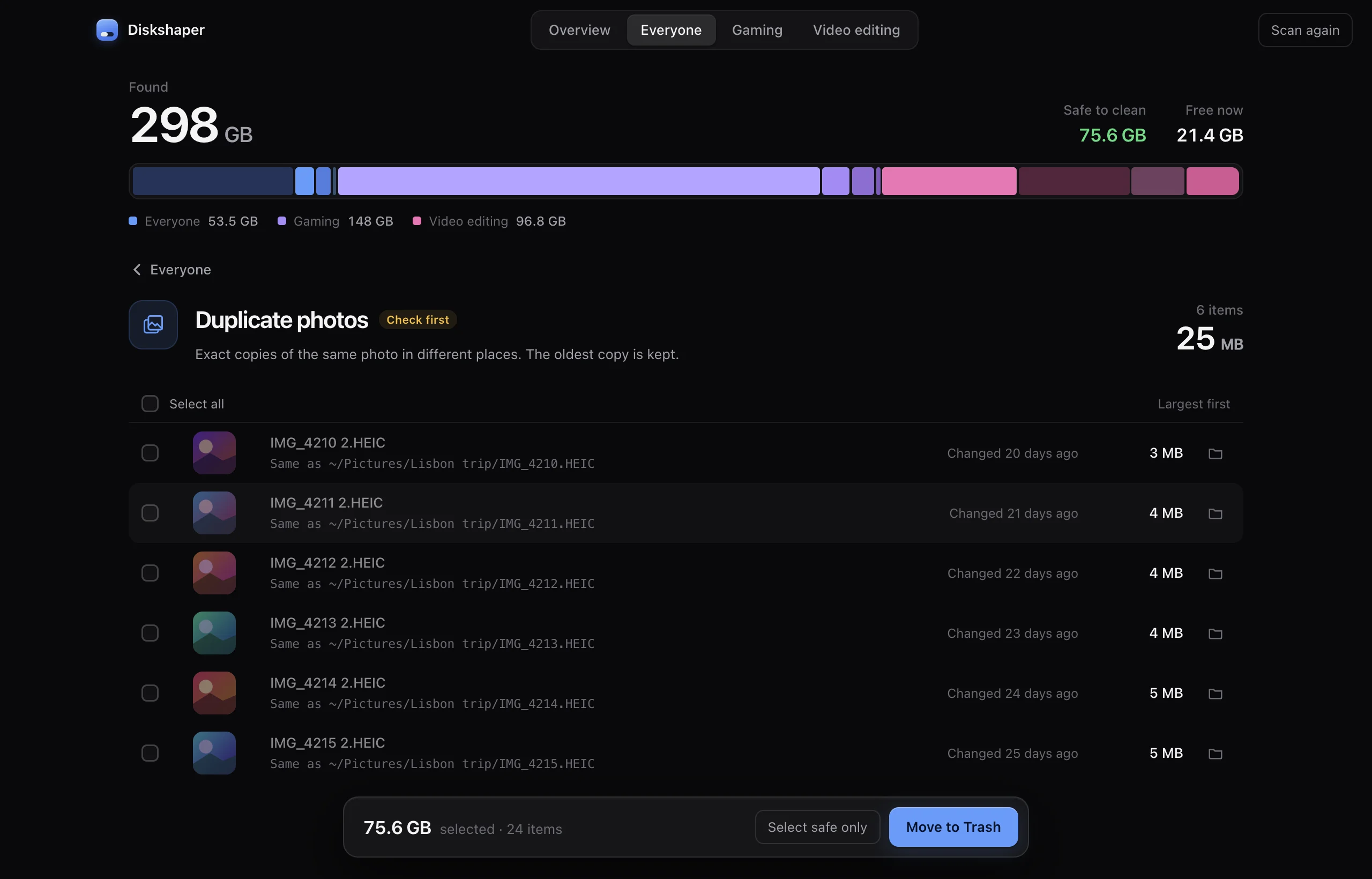
Exact duplicates vs look-alikes
Exact duplicates are the same file byte for byte, often named like IMG_1234 2.HEIC. Look-alikes are the same photo saved again: resized, re-compressed or exported. The browser tool finds both; the app finds exact duplicates across your whole drive.
Photos library on a Mac
If your photos live in the Photos app, use its own Duplicates album (in the sidebar under Utilities) to merge them. Neither Diskshaper nor any other tool should edit inside the Photos library directly.
Which copy is kept
The oldest copy is kept, since it is most likely the original. For look-alikes, the largest one is kept, since it has the most detail.
Questions
Is it really free?
Yes, both the browser tool and the app. No account, no limits.
Are my photos uploaded?
No. The browser tool reads files on your device only, and works offline once the page is open.
Does it work with HEIC photos from an iPhone?
Exact duplicates, yes, in every browser. Look-alike matching for HEIC needs Safari, which can open HEIC images.
More guides
- How to clear your shader cacheShader caches from Steam, NVIDIA, AMD and DirectX can take tens of gigabytes. Here is where they live, whether it is safe to clear them, and how.
- How to remove Steam leftovers after uninstalling a gameUninstalled a Steam game but the space did not come back? Steam often leaves the game folder behind. Here is how to find leftovers safely.
- How to clear the Premiere Pro media cachePremiere Pro’s media cache can grow to tens of gigabytes. Where the cache files are on Mac and Windows, whether it is safe to delete them, and how.
- How to clear the DaVinci Resolve cacheDaVinci Resolve’s render cache, optimized media and proxies can fill a drive. Where they are, what is safe to delete, and how.