Moveshaper
Your new computer, set up like your old one.
Open Moveshaper on both computers and type the code. Your files go straight across your own Wi-Fi, your apps reinstall themselves, and your bookmarks, Wi-Fi networks and wallpaper come along. Windows to Mac, Mac to Windows, or same to same.
Animated demo: Moveshaper connects an old PC to a new Mac with a code, moves 112 GB of files and installs eight apps.
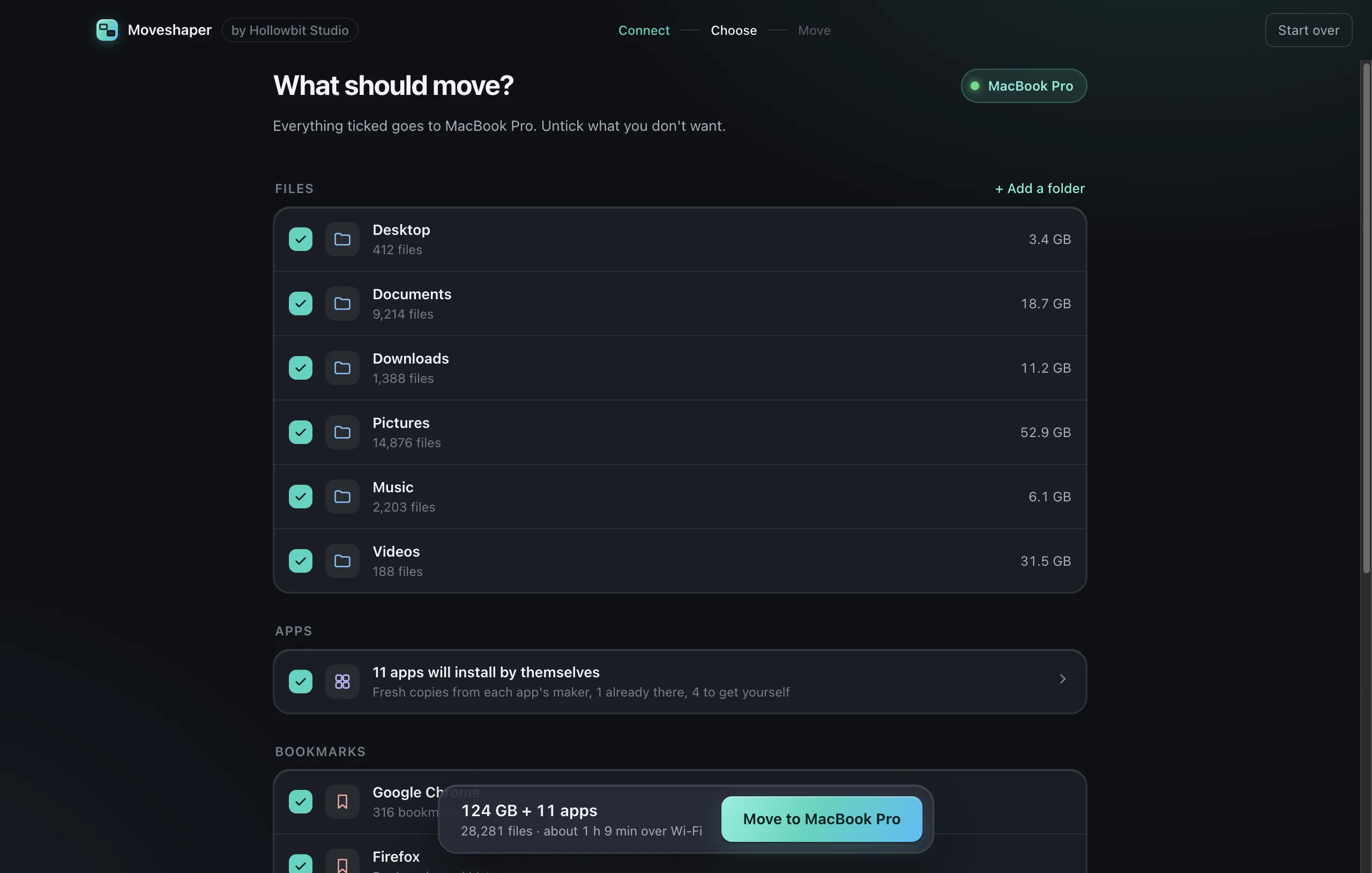
Tick what moves. Press Move.
Moveshaper counts your Desktop, Documents, Pictures, Music, Videos and Downloads, finds your browsers and Wi-Fi networks, and ticks it all. Untick what you don’t need. It even checks the new computer has room.
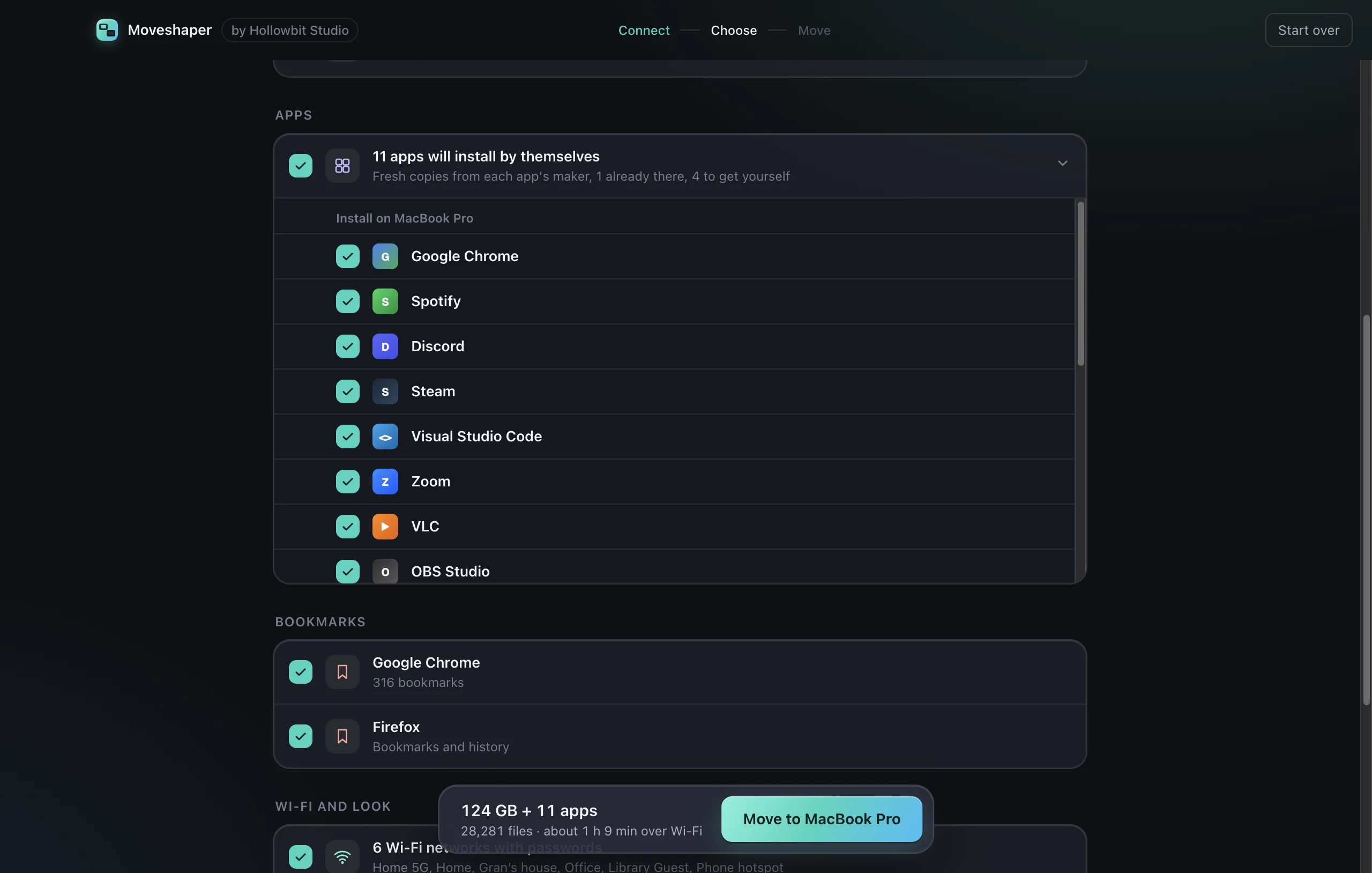
Your apps install themselves.
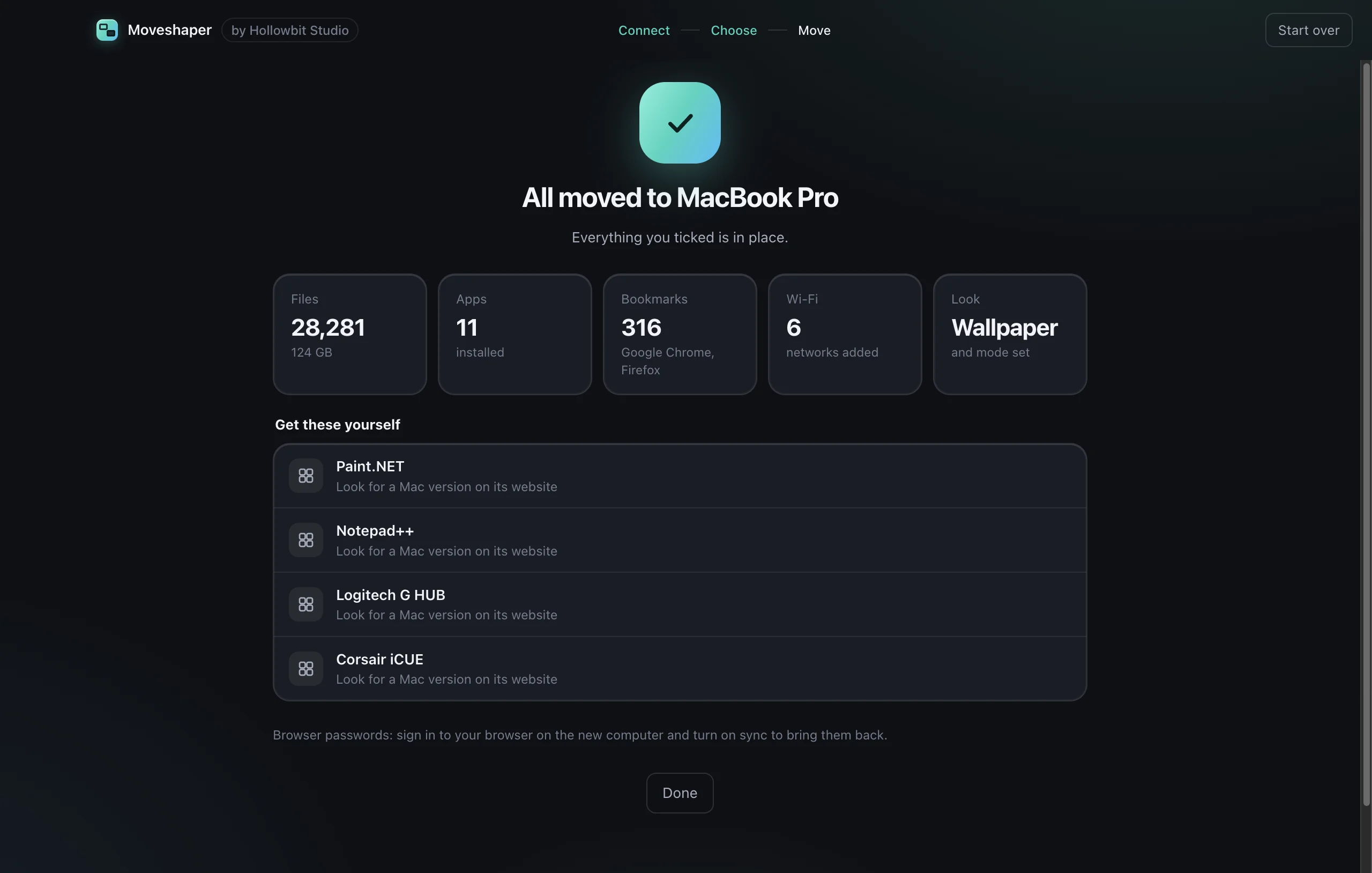
The new computer downloads fresh copies of your apps straight from their makers: Chrome, Spotify, Discord, Steam and about 90 more, even from Windows to Mac. The few it can’t get are listed with a link.
Nothing lost, nothing replaced.
Files go straight across your own network, encrypted, never through the cloud. If a file with the same name is already there, both are kept. If the move stops, press Move again and it picks up where it left off.
The free alternative to PCmover and Migration Assistant.
Free for Mac and Windows. No account, no watermark, nothing uploaded.
 Also from Hollowbit StudioMelodyshaperHum a tune and hear it on a real instrument. Get chords that fit, add drums and bass, and export a whole song.