 Diskshaper
A free CleanMyMac alternative
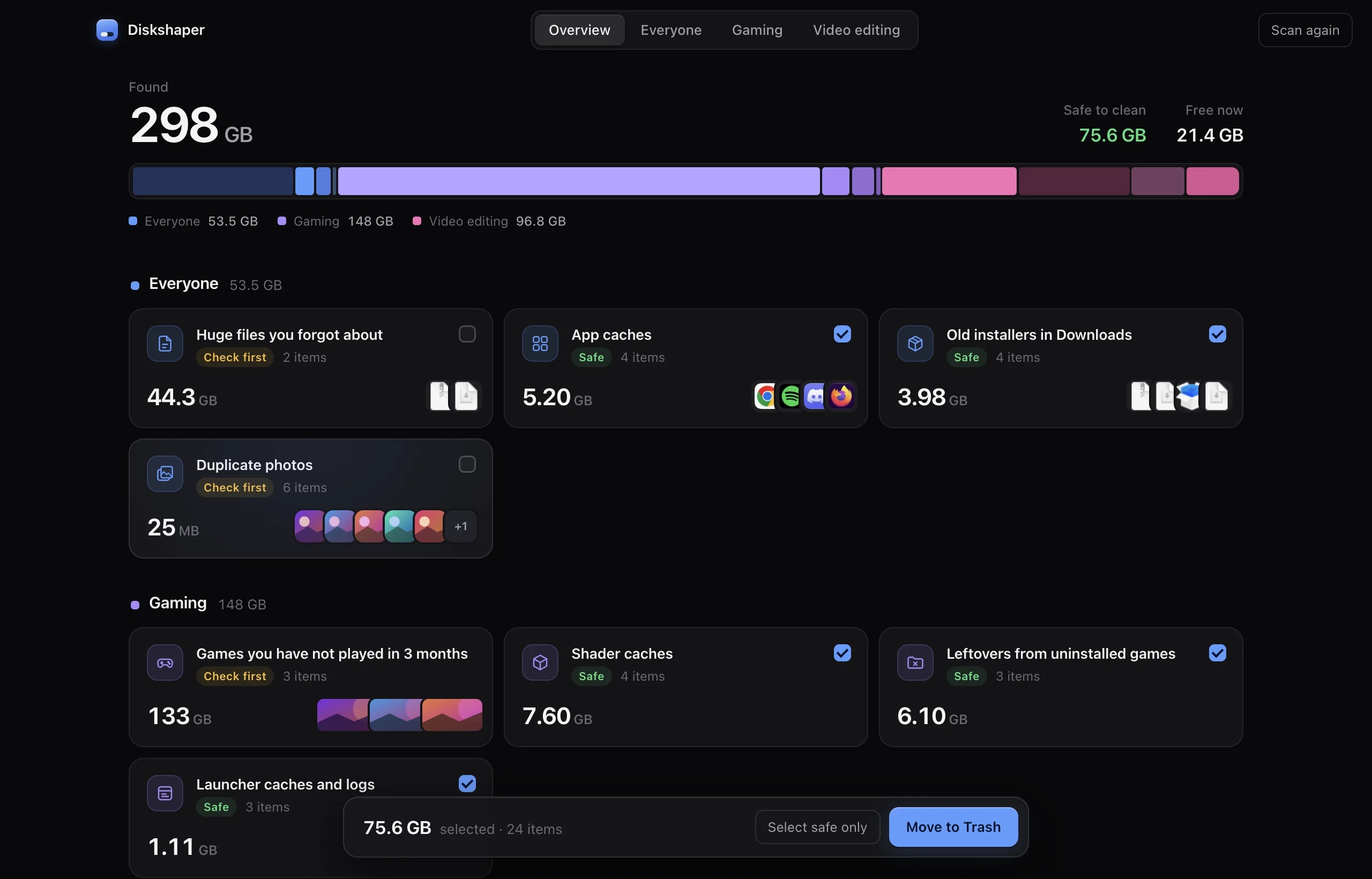
CleanMyMac is a paid subscription app that bundles cleaning with malware checks, app uninstalling and other tools. If you mainly want to free up space safely, Diskshaper is a free, open-source alternative: it scans your Mac in a few seconds, labels each group Safe or Check first, and moves anything you clean to the Trash so it can be undone.
Updated 11 November 2026 · Hollowbit Studio
Step by step
- Download Diskshaper for MacFree and open source, for Apple Silicon and Intel Macs.
- Press Scan this MacIt finds caches, game and video-editing leftovers, old installers, duplicate photos and big forgotten files.
- Clean what is SafeSafe items are ticked for you. Check first items stay unticked until you decide.
How Diskshaper differs
Diskshaper only does storage, and it is careful about it. It never looks in macOS system folders, never deletes outright (everything goes to the Trash), and explains each group in plain words. It is free, has no account and sends nothing about your files anywhere.
What it does not do
It is not an antivirus and not an app uninstaller. For removing an app together with its leftover files, AppCleaner is a good free choice.
Other free options
macOS's own System Settings, General, Storage gives rough totals and a few recommendations. GrandPerspective and OmniDiskSweeper show what fills your disk as a map or a list, but leave it to you to decide what is safe.
Questions
Is Diskshaper really free?
Yes. It is free and open source, with no trial, subscription or ads.
Does it work on Windows too?
Yes. Diskshaper runs on Mac and Windows.
Can I undo a clean?
Yes. Everything goes to the Trash or Recycle Bin, so you can put it back until you empty it.
More guides
- How to clear your shader cacheShader caches from Steam, NVIDIA, AMD and DirectX can take tens of gigabytes. Here is where they live, whether it is safe to clear them, and how.
- How to remove Steam leftovers after uninstalling a gameUninstalled a Steam game but the space did not come back? Steam often leaves the game folder behind. Here is how to find leftovers safely.
- How to clear the Premiere Pro media cachePremiere Pro’s media cache can grow to tens of gigabytes. Where the cache files are on Mac and Windows, whether it is safe to delete them, and how.
- How to clear the DaVinci Resolve cacheDaVinci Resolve’s render cache, optimized media and proxies can fill a drive. Where they are, what is safe to delete, and how.