Melodyshaper
Hum a tune and hear it on a real instrument. A free music maker for complete beginners.
43Recorded instruments, plus 29 drum sounds
119Drum presets across everyday styles
0AI models or AI-generated sounds
The problem
Most people with a tune in their head have no way to get it out. Full music software assumes you already know about keys, chords and arranging.
Free hum-to-notes tools are mostly phone apps, or plugins that need a professional music app around them.
What it does
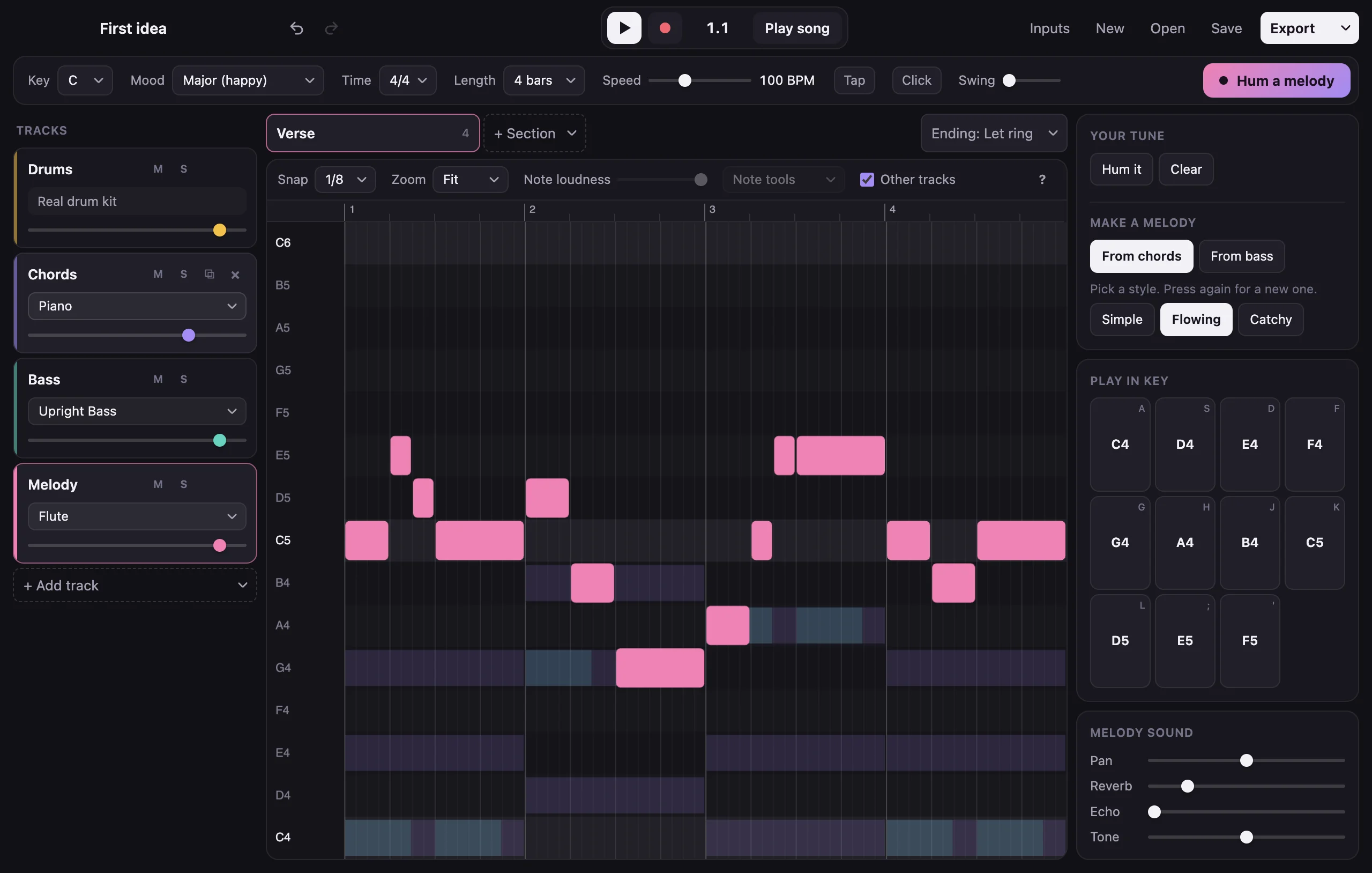
Hum or sing along with a click and Melodyshaper turns your voice into notes on a real instrument, in key and on the beat. It then offers chords that fit the tune, or writes a melody from your chords or bass. Add drums, more sections, your vocals or a plugged-in guitar, and export MP3, WAV, stems or MIDI.
Key decisions
- Notes are stored as positions in the scale. A note is saved as a step in the key, not a fixed pitch, so changing key or mood keeps every note in tune.
- Plain signal processing, not AI. Pitch and beatbox detection are classic audio techniques, and the chord finder and melody maker follow fixed music-theory rules. No AI model listens to or generates anything.
- Real recordings only. Every instrument is a real recording from public-domain CC0 libraries. There are no finished loops or demo songs to pass off as your own.
- Nothing locked. Songs save, reopen and export for free, and recordings travel inside the song file.
How it was tested
- Automated tests check that every note in every key and scale stays in key.
- Pitch and beatbox detection run on simulated voices and drum sounds at several speeds, through the same path as the microphone.
- End-to-end tests drive the real app through editing, saving, reopening and every export, and playback holds 60 frames per second under a 4x CPU slowdown.
What’s next
- Testing with real voices, guitars, audio interfaces and MIDI devices.
- Testing on real Windows PCs.