Moveshaper
Move everything from your old computer to your new one: files, apps, bookmarks, Wi-Fi and wallpaper. Windows and Mac, both ways.
6Digits in the pairing code, the only thing you type
~95Popular apps it can reinstall on the new computer
0Files ever overwritten on the new computer
The problem
Moving to a new computer means hunting down files, reinstalling apps and re-entering Wi-Fi passwords. Apple’s Migration Assistant only goes Mac to Mac.
The paid movers charge around $60, and the free versions cap how much you can move.
What it does
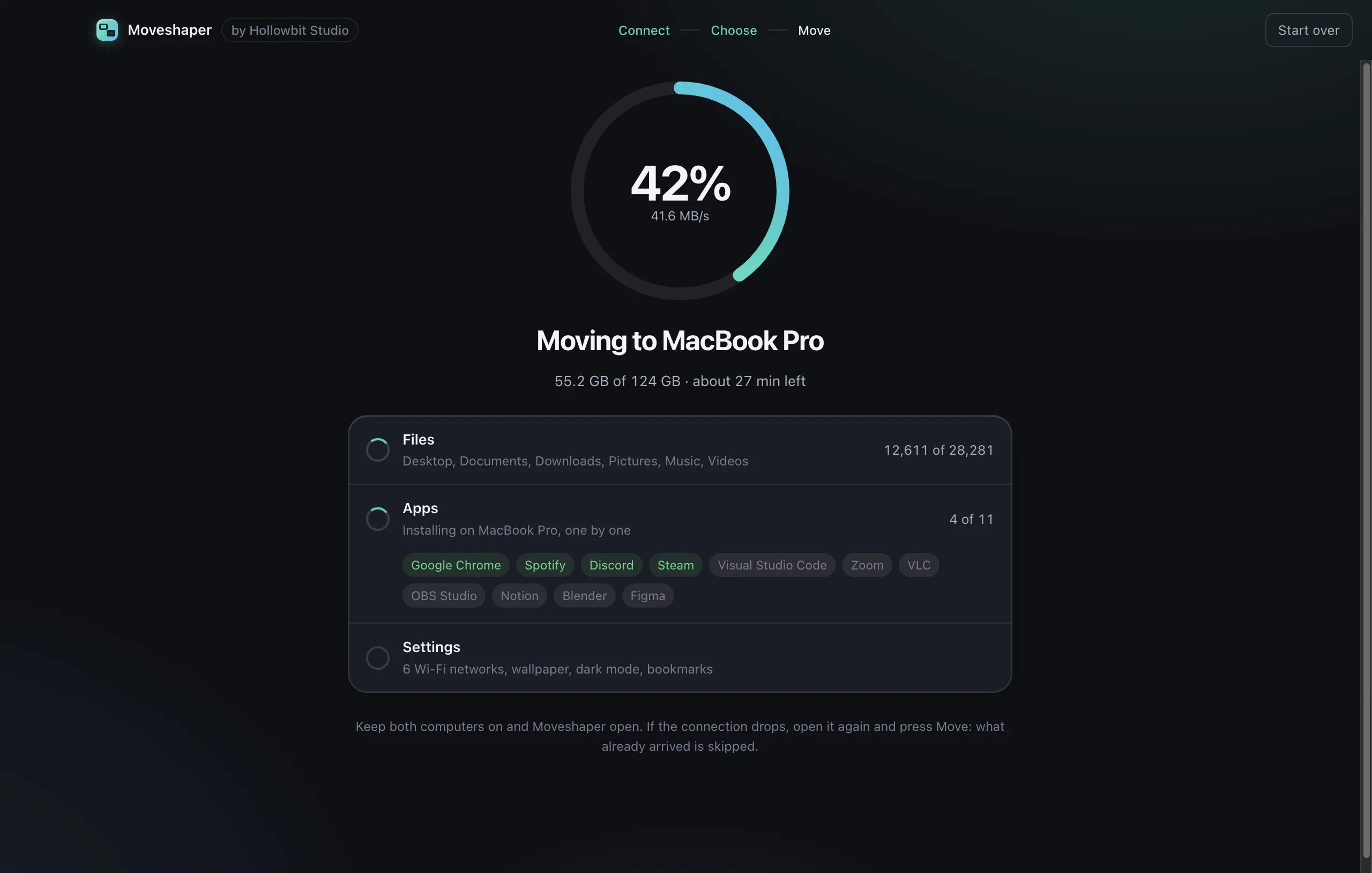
Open Moveshaper on both computers. The new one shows a six-digit code; type it on the old one and they connect straight across your network. Pick what to bring, and Moveshaper copies your files, reinstalls your apps from their official sources, merges your bookmarks and brings over Wi-Fi and wallpaper.
Key decisions
- Straight across, encrypted. The two computers find each other on the local network and pair with the six-digit code, using a password-based key exchange (SPAKE2). Everything after that is encrypted. Nothing goes through a server.
- Reinstall, don’t copy. Copying program files between computers breaks apps. Moveshaper reinstalls them from the real source instead: winget on Windows, and the same download links and checksums Homebrew uses on a Mac.
- Never overwrite. If a file already exists on the new computer, the incoming one is saved next to it with “(old computer)” in the name.
- Pick up where it left off. Files are sent in batches and checked by size and date, so a dropped connection resumes instead of starting over.
How it was tested
- Pairing and the transfer engine have their own tests, including wrong codes and interrupted transfers.
- An end-to-end test runs two copies of the app on one Mac and moves files, bookmarks and apps between them.
- App installs were tested with real apps such as VLC, Spotify, Obsidian and Steam into a test folder.
What’s next
- Testing on real Windows PCs.
- A real-world Wi-Fi speed check.